← Google Calendar for Beginners
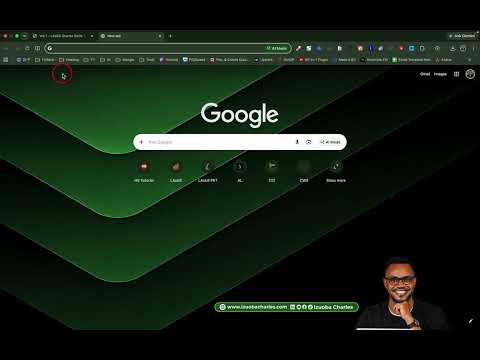
Google Calendar is a digital calendar developed by Google that helps you plan events, schedule meetings and set reminders. Instead of writing appointments in a paper diary, you can organise your schedule online. Google Calendar helps you remember important dates and activities.
You are viewing a free preview lesson.
Course content
Module 1: Meet Google Calendar
- ● What is Google Calendar? Free preview 4:22
- 🔒 Why Google Calendar is important 4:22
- 🔒 How to access Google Calendar 4:22
- 🔒 Module 1 quiz Quiz
Module 2: Understanding the Calendar Layout
- 🔒 The calendar grid and the Today button 4:22
- 🔒 The Create button and the mini calendar 4:22
- 🔒 Events and the left sidebar 4:22
- 🔒 Module 2 quiz Quiz
Module 3: Changing Views
- 🔒 Day, week and month views 4:22
- 🔒 How to change the view 4:22
- 🔒 Which view should you use? 4:22
- 🔒 Module 3 quiz Quiz
Module 4: Creating an Event
- 🔒 What is an event? 4:22
- 🔒 Steps to create an event 4:22
- 🔒 Use clear event titles 4:22
- 🔒 Module 4 quiz Quiz
- 🔒 Module 4 assignment Assignment
Module 5: Date, Time and All-Day Events
Module 6: Location, Description and Meet Links
- 🔒 Add a location 4:22
- 🔒 Add a description 4:22
- 🔒 Add a Google Meet link 4:22
- 🔒 Module 6 quiz Quiz
- 🔒 Module 6 assignment Assignment
Module 7: Reminders
- 🔒 Why use reminders 4:22
- 🔒 How to set a reminder 4:22
- 🔒 Choose the right reminder time 4:22
- 🔒 Module 7 quiz Quiz
- 🔒 Module 7 assignment Assignment
Module 8: Inviting Guests
- 🔒 How to invite people 4:22
- 🔒 Guest permissions 4:22
- 🔒 See who is coming 4:22
- 🔒 Module 8 quiz Quiz
- 🔒 Module 8 assignment Assignment
Module 9: Editing and Deleting Events
- 🔒 Edit an event 4:22
- 🔒 Delete an event 4:22
- 🔒 Move an event by dragging 4:22
- 🔒 Module 9 quiz Quiz
- 🔒 Module 9 assignment Assignment
Module 10: Repeating Events
- 🔒 What is a repeating event? 4:22
- 🔒 How to make an event repeat 4:22
- 🔒 Editing repeating events 4:22
- 🔒 Module 10 quiz Quiz
- 🔒 Module 10 assignment Assignment
Module 11: Colours and Multiple Calendars
- 🔒 Colour-code your events 4:22
- 🔒 Create a separate calendar 4:22
- 🔒 Show and hide calendars 4:22
- 🔒 Module 11 quiz Quiz
- 🔒 Module 11 assignment Assignment
Module 12: Sharing and Finding Free Time
Module 13: Google Calendar on Your Phone
- 🔒 Install and sign in 4:22
- 🔒 Create events on the phone 4:22
- 🔒 Notifications on your phone 4:22
- 🔒 Module 13 quiz Quiz
Module 14: Best Practices
- 🔒 Habits that keep you organised 4:22
- 🔒 Plan your day and week 4:22
- 🔒 Avoid common mistakes 4:22
- 🔒 Module 14 quiz Quiz