Google Forms is a free online tool that lets you ask questions and collect information. You can use it to conduct surveys, register participants, gather feedback, take orders and even run quizzes. All responses are stored automatically, so you never have to collect answers by hand.
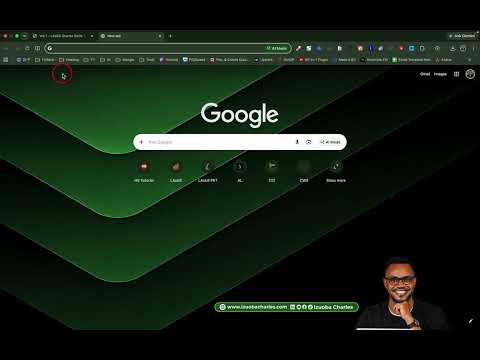
You are viewing a free preview lesson.
Course content
Module 1: Meet Google Forms
- ● What is Google Forms? Free preview 4:22
- 🔒 How to open Google Forms 4:22
- 🔒 Create and name your first form 4:22
- 🔒 Module 1 quiz Quiz
Module 2: Know Your Google Forms Screen
- 🔒 Form title and form description 4:22
- 🔒 The question area and question type menu 4:22
- 🔒 The tabs and the toolbar 4:22
- 🔒 Module 2 quiz Quiz
Module 3: Your First Question
- 🔒 Typing a question 4:22
- 🔒 Short answer questions 4:22
- 🔒 Make a question required 4:22
- 🔒 Module 3 quiz Quiz
- 🔒 Module 3 assignment Assignment
Module 4: Choice Questions
- 🔒 Multiple choice: select one option 4:22
- 🔒 Checkboxes: select more than one 4:22
- 🔒 Dropdown: choose from a list 4:22
- 🔒 Choosing the right choice question 4:22
- 🔒 Module 4 quiz Quiz
- 🔒 Module 4 assignment Assignment
Module 5: Paragraph and Other Question Types
- 🔒 Paragraph questions 4:22
- 🔒 Linear scale and rating 4:22
- 🔒 Date and time questions 4:22
- 🔒 File upload and grids 4:22
- 🔒 Module 5 quiz Quiz
Module 6: Managing Your Questions
- 🔒 Adding more questions 4:22
- 🔒 Duplicate, delete and reorder 4:22
- 🔒 Question descriptions and sections 4:22
- 🔒 Module 6 quiz Quiz
Module 7: Build a Real Feedback Form
- 🔒 Plan the form 4:22
- 🔒 Build questions one and two 4:22
- 🔒 Build questions three and four 4:22
- 🔒 Module 7 quiz Quiz
- 🔒 Module 7 assignment Assignment
Module 8: Customising Your Form
- 🔒 Open the theme options 4:22
- 🔒 Colour, font and header 4:22
- 🔒 Module 8 quiz Quiz
- 🔒 Module 8 assignment Assignment
Module 9: Preview and Test Your Form
Module 10: Sharing Your Form
- 🔒 Publish your form 4:22
- 🔒 Copy and shorten the link 4:22
- 🔒 Where to share it 4:22
- 🔒 Module 10 quiz Quiz
- 🔒 Module 10 assignment Assignment
Module 11: Important Settings
- 🔒 Open the settings 4:22
- 🔒 Collect email addresses 4:22
- 🔒 Limit to one response 4:22
- 🔒 Module 11 quiz Quiz
Module 12: Viewing Responses
Module 13: Send Responses to Google Sheets
- 🔒 Link your form to Google Sheets 4:22
- 🔒 Using the spreadsheet 4:22
- 🔒 Module 13 quiz Quiz
- 🔒 Module 13 assignment Assignment